
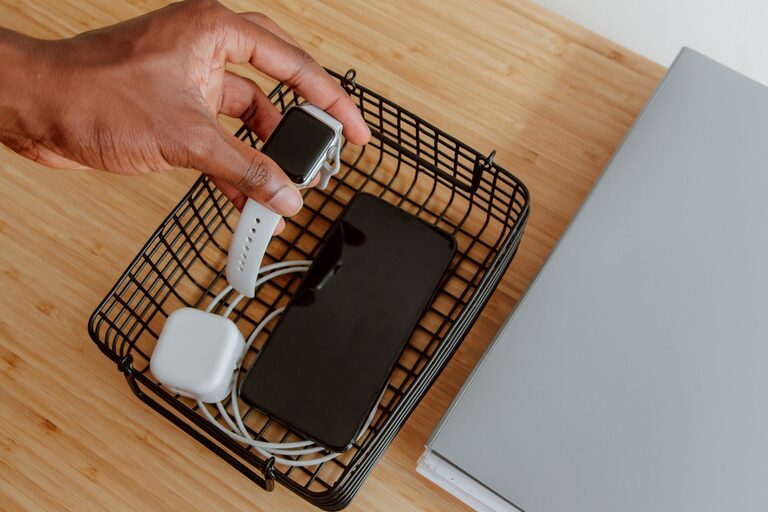
Setting up a dedicated charging station for your devices can make your daily routine smoother and more organized. Whether you have smartphones, tablets, smartwatches, or other rechargeable gadgets, having a central spot where all these devices can recharge helps keep your space tidy and ensures your electronics are always ready to use. In this guide, we’ll walk you through everything you need to know to create a practical and efficient charging station at home.
Why Set Up a Charging Station?
Before diving into the setup, it’s helpful to understand the benefits of having a charging station:
– Reduces clutter: Instead of multiple cables scattered around, a charging station organizes everything in one place.
– Saves time: You won’t need to hunt for the right charger or outlet.
– Protects devices: Keeps devices safe from accidental drops or spills.
– Improves aesthetics: Creates a neat and tidy environment.
Choosing the Right Location
The first step is picking the best spot for your charging station. Here are some factors to consider:
Accessibility
Pick a location that everyone in your household can easily access, such as:
– A central table in the living room
– A kitchen counter
– A desk in a shared workspace
– A nightstand in the bedroom
Power Source
Make sure the location has easy access to electrical outlets. If outlets are limited, consider using a power strip with surge protection to handle multiple devices safely.
Ventilation
Avoid enclosed spaces where devices might overheat. Opt for areas with good air circulation.
Types of Charging Stations
Depending on your needs and budget, several options are available for charging stations:
DIY Charging Station
You can create a simple station using bins, boxes, or trays with cable holes. It’s budget-friendly and customizable.
Multi-Port USB Chargers
These chargers allow you to connect and charge multiple devices simultaneously from a single power source.
Wireless Charging Pads
Great for devices that support wireless charging. Some pads can charge several devices at once.
Ready-Made Charging Organizers
These are specially designed stands or docks that combine cable management with charging convenience.
What You’ll Need
To assemble your charging station, gather the following items:
– Power strip with surge protection
– Multi-port USB charger or multiple USB adapters
– Charging cables for all your devices
– Cable organizers (clips, ties, sleeves)
– A container or organizer box to hold devices
– Optional: Wireless charging pad(s)
– Optional: Label stickers to identify cables and devices
Step-by-Step Setup Guide
1. Clear and Prepare the Space
Start by cleaning the chosen area. Remove any unnecessary items and ensure the surface is stable.
2. Arrange the Power Source
Plug in your power strip into an outlet and place it near the edge of your station for easy access.
3. Connect the Chargers
Attach your USB chargers or multi-port station to the power strip. Test that they work before proceeding.
4. Organize Cables
Use cable clips or ties to keep cords untangled and neat. Route cables through holes in your organizer to prevent clutter.
5. Set Up Device Holders
Place a tray, stand, or box to hold your devices while charging. This keeps them upright and easy to retrieve.
6. Add Wireless Chargers (Optional)
If you have wireless charging devices, position the pad on the station’s surface to allow easy placement.
7. Label Cables and Spots (Optional)
To avoid confusion, label cables or designate specific spots for each device, especially if multiple people share the station.
Tips for Maintaining Your Charging Station
– Regularly dust and clean the station to keep it neat.
– Check cables and chargers periodically for wear or damage.
– Encourage everyone in your home to place devices back after charging.
– Avoid overloading sockets to prevent electrical hazards.
– Update chargers if you get new devices requiring different connectors.
Safety Considerations
– Use chargers certified by reputable brands to avoid electrical issues.
– Do not place devices on soft surfaces while charging to prevent overheating.
– Avoid using damaged cables or plugs.
– Keep liquids away from the charging station.
Conclusion
Setting up a charging station is a simple way to improve your home’s organization and keep your devices powered effortlessly. By choosing the right location, using appropriate chargers, and managing cables neatly, you create a convenient and safe zone for all your electronic needs. With a little planning and care, your charging station will become an essential part of your daily routine. Try it out and enjoy a clutter-free, efficient charging experience!